PEOPLESOFT PROCARD MODULE LOG ON INSTRUCTIONS FOR CARDHOLDERS AND NON CARDHOLDERS
- All ProCard holders when applying for the Procard have been granted Security access to the ProCard Module.
- Non-Cardholders such as Administrative Staff who assist with the monthly reconciliation
of procurement card transactions may also be granted access to the ProCard Module
for:
- Review of transactions
- Chartfield adjustments
- Printing Reports
If your Administrative Staff needs access to the PeopleSoft ProCard Module, please email Celia Gonzalez: cegonzalez@csufresno.edu
You will receive an email once the request has been completed and access established.
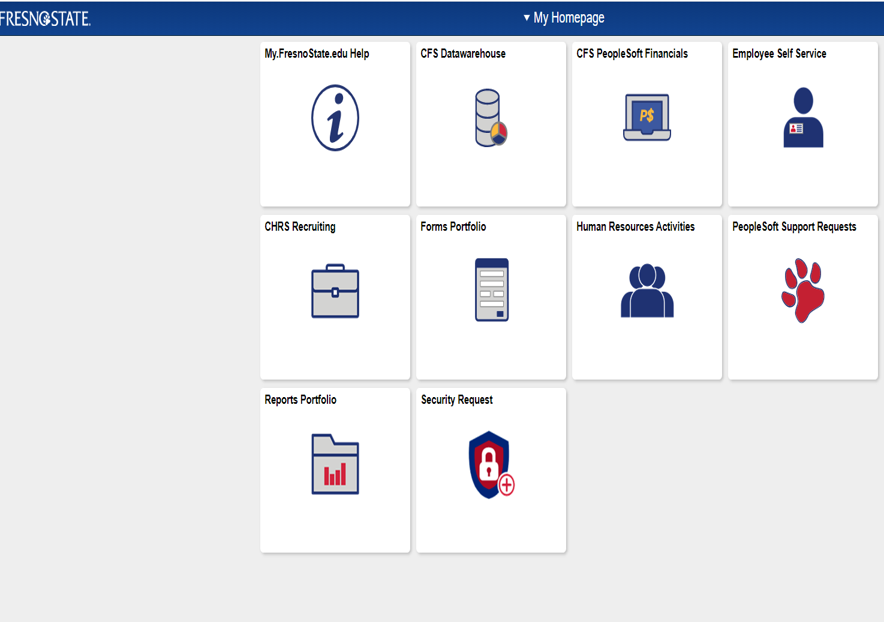
- On My Homepage – click on the CFS PeopleSoft Financials tile
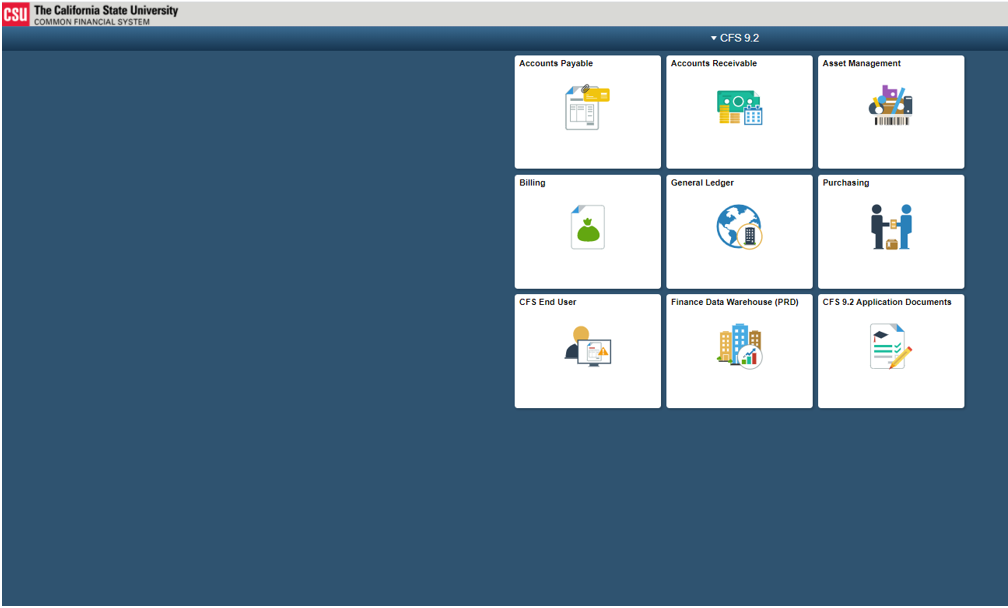
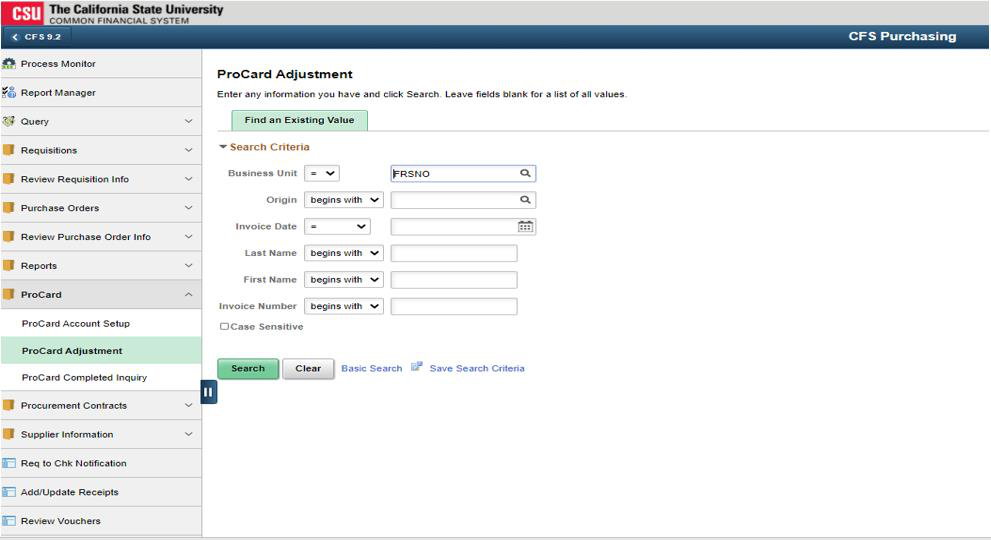
- Then click Procard Adjustment.
- Use the ProCard Adjustment Screen for current month transactions:
- Change chartfields
- Print the Cardholder Statement
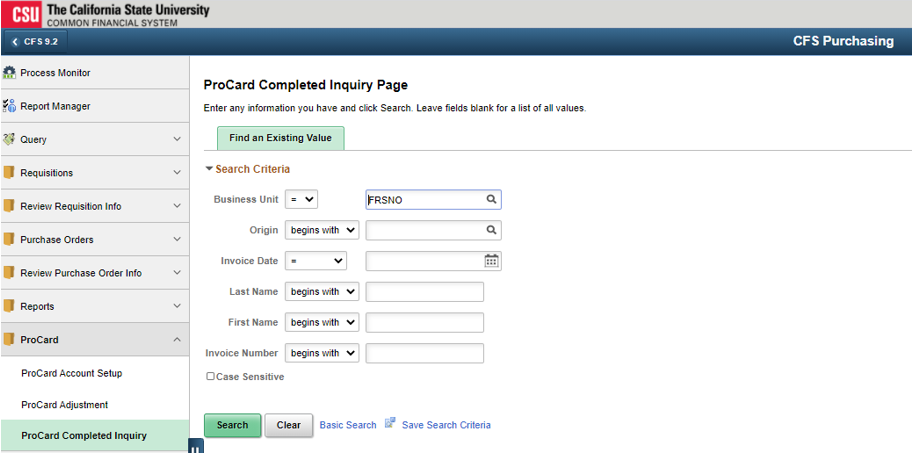
- Use the ProCard Completed Inquiry Screen to view prior month transactions:
- View transactions
- Print Cardholder’s Statement
This HTML version was generated with AI assistance and may contain errors or omissions. The original approved PDF remains the official document of record. An alternative accessible format is available upon request from the document creator in accordance with Title II of the ADA.