Withdraw a Requisition
QUICK REFERENCE GUIDE
Learn how to withdraw a requisition.
REMOVE A REQUISITION FROM THE APPROVAL WORKFLOW
- Navigate to Orders > Search > Requisitions.
- Select the requisition you want to withdraw. You can only withdraw a requisition while it is in Pending status.
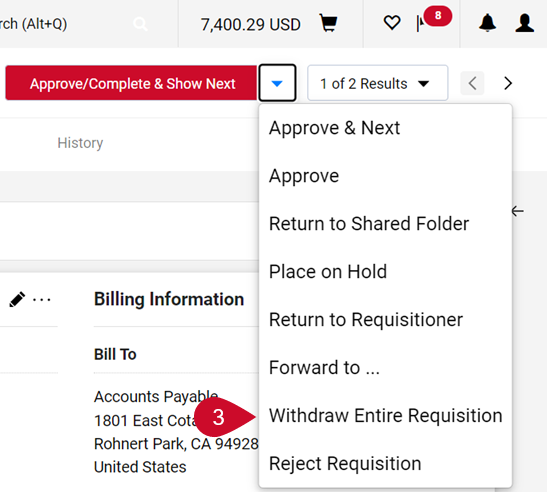
- Select Withdraw Entire Requisition from the Approve/Complete & Show Next drop-down menu.
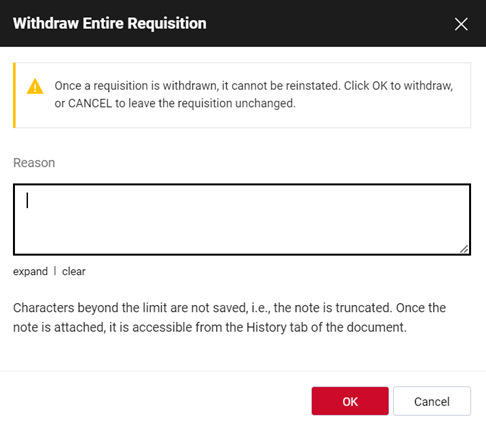
- In the Withdraw Entire Requisition pop-up window, insert the reason for the withdrawal.
- Select OK.
- Your active cart will be deactivated after withdrawal. Locate the cart by navigating to Shopping > My Carts and Orders > View Carts > Draft Carts which can be activated using the Action drop-down menu and selecting Activate.
This HTML version was generated with AI assistance and may contain errors or omissions. The original approved PDF remains the official document of record. An alternative accessible format is available upon request from the document creator in accordance with Title II of the ADA.