Voucher Pay Status
QUICK REFERENCE GUIDE
Learn how to view a voucher and find its pay status.
DISCOVER THE PAY STATUS OF A VOUCHER
- Navigate to Orders > Search > Vouchers.
- The Pay Status column shows the following statuses.
- Alternatively, select and open a voucher from the list.
- The Payment Information section displays the Pay Status and additional information about the payment process.
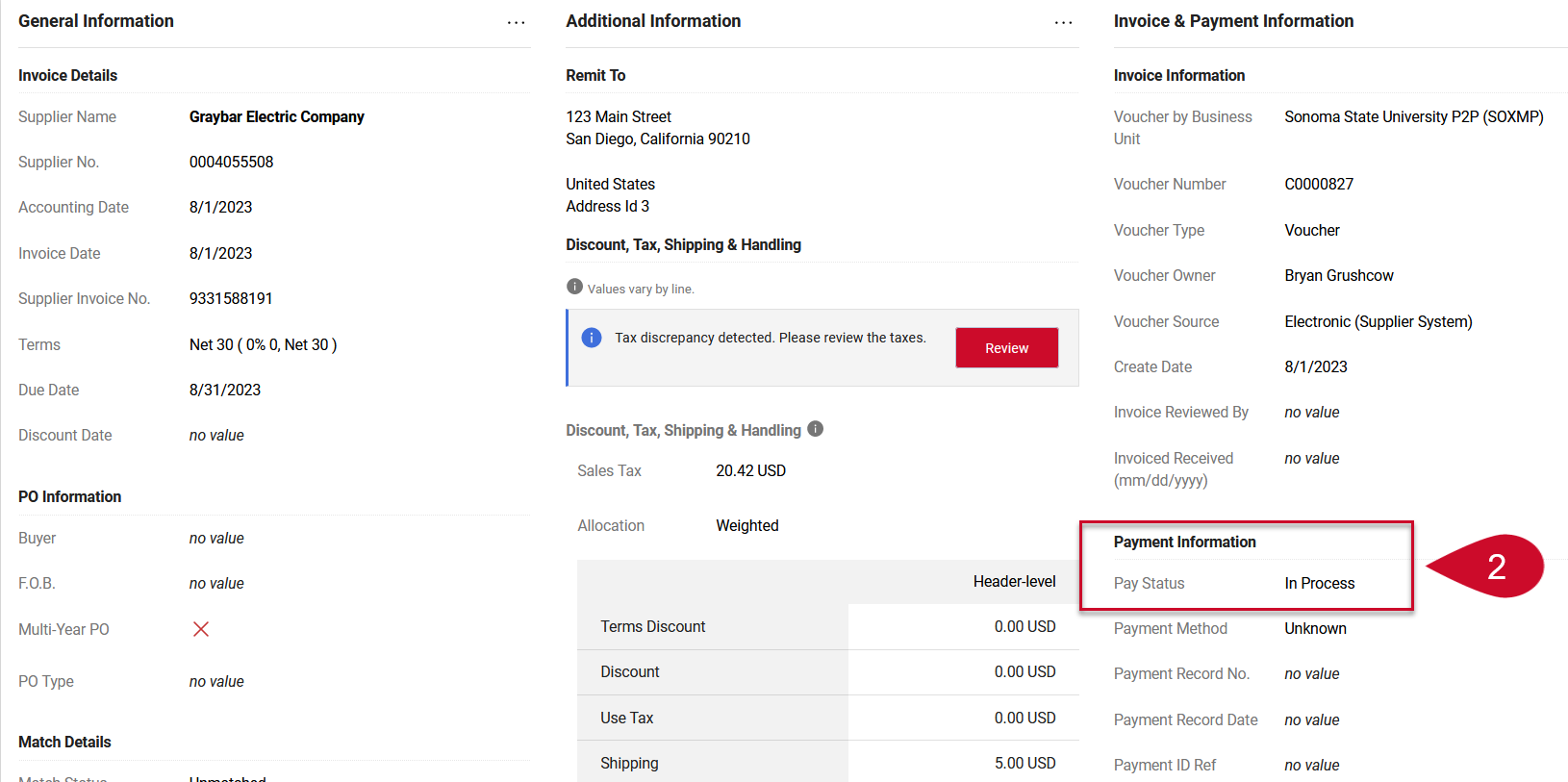
- The following are the different pay status options.
- In Process: the voucher has not been processed but has been created.
- Payable: the voucher has been processed and marked as Payable (OK to Pay).
- Marked as Paid: the voucher has been processed, and the payment status has been received from CFS.
- Canceled: the voucher was canceled.
This HTML version was generated with AI assistance and may contain errors or omissions. The original approved PDF remains the official document of record. An alternative accessible format is available upon request from the document creator in accordance with Title II of the ADA.