Student Accounts
Instructions to set up a Payment Plan
Please Note: Continuing and Global/Extended Education students are not eligible for the payment plan.
1. Log in to https://my.fresnostate.edu portal and click on the “Student Self Service” icon.
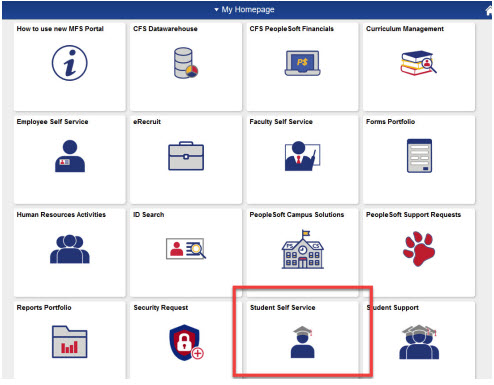
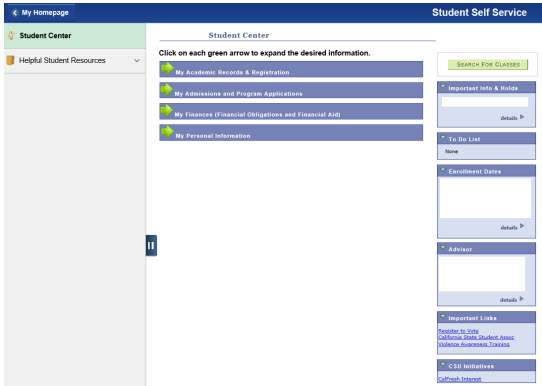
2. After clicking on the “Student Self Service” icon, you will be directed to your “Student Center.”
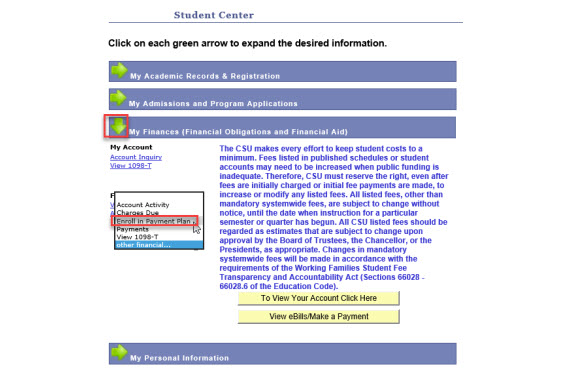
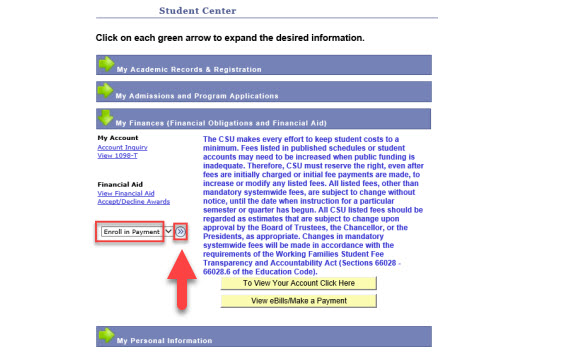
3. Click on the “My Finances” arrow, proceed to “other financial…” drop down menu, select “Enroll in Payment Plan,” click on the arrows to the right to go to step 1 of the payment plan.
(Reminder: This is a 4-step process)
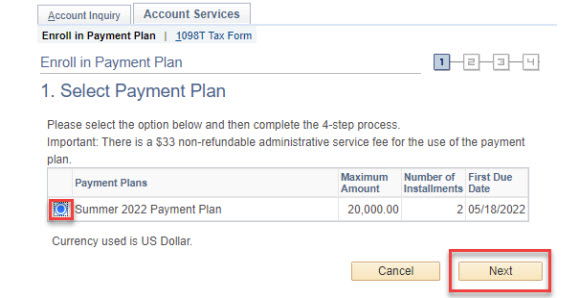
4. Select the Term (ex. Fall xx, Spring xx, or Summer xx) you want to enroll in the payment plan and click “Next” to continue to step 2.
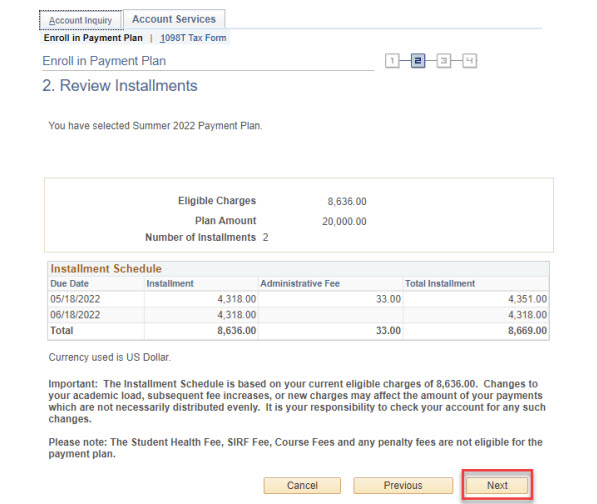
5. Review Installments - Review the information and notes at the bottom and click “Next” to continue.
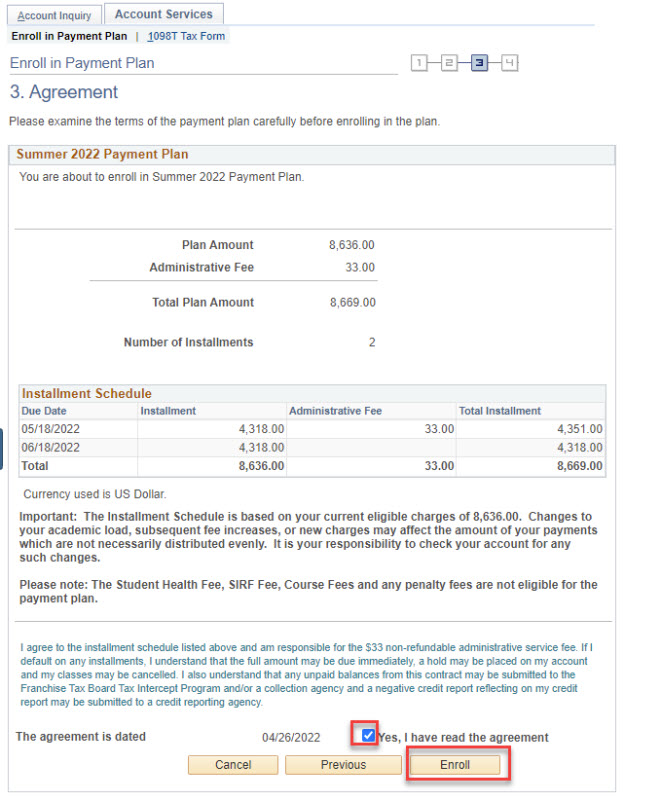
6. Agreement - Review the information, notes and agreement at the bottom. Click the “Yes” box to agree. Then click on “Enroll” to proceed to the final step.
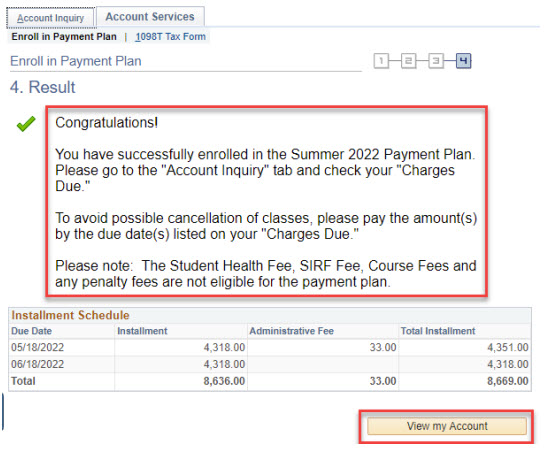
7. Result - You are now enrolled in the payment plan. Then click on “View my Account” at the bottom.
8. Click on “Account Inquiry,” then “Charges Due” tab.
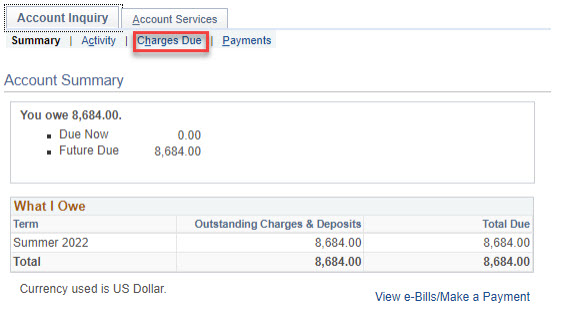
9. The “Charges Due” tab will display the due date(s) and amount(s). Please pay according to the due date(s) and amount(s) listed on “Charges Due” tab.