Student Accounts
Instructions for New Students or students who want to use NEW bank account information.
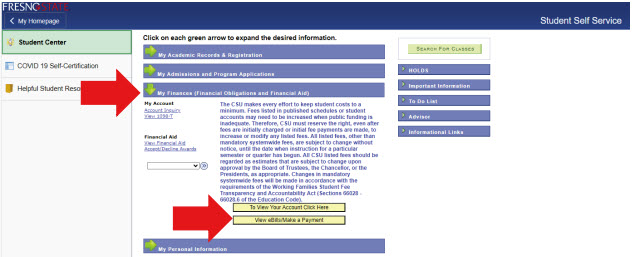
1. Sign into My Fresno State at https://my.fresnostate.edu and go to:
Student Self Service>Student Center>My Finances>View eBills/Make a Payment.
2. You will then be directed to the “Overview” page in your Transact ePayment site.
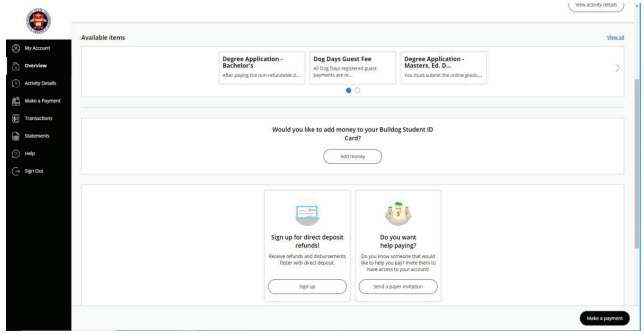
Signing up for Transact eRefund
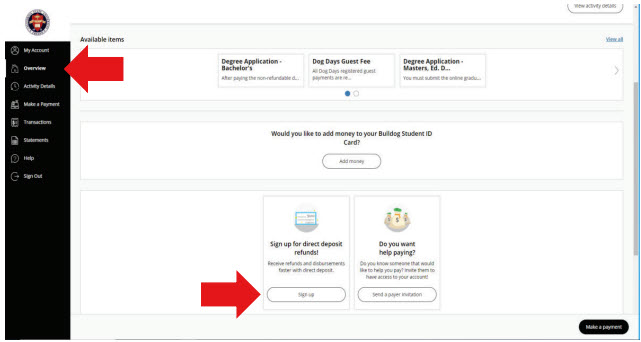
1. Scroll to the bottom of the page and select Sign up for direct deposit refunds!
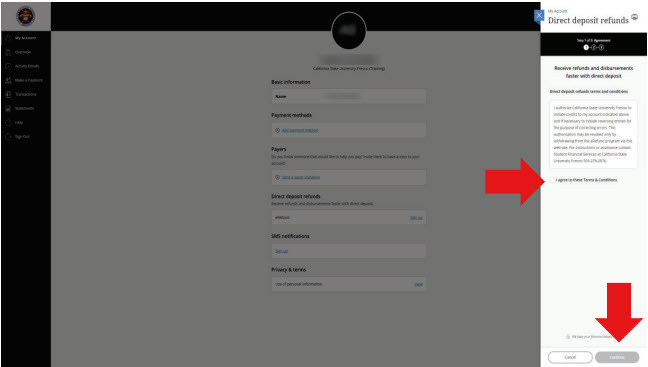
2. Agree to the Terms & Conditions and then click Continue.
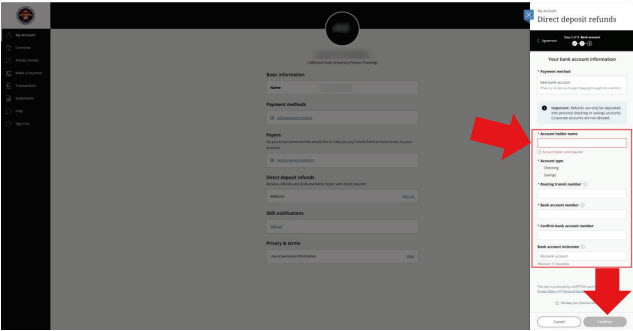
3. Enter your bank account information and then click Continue.
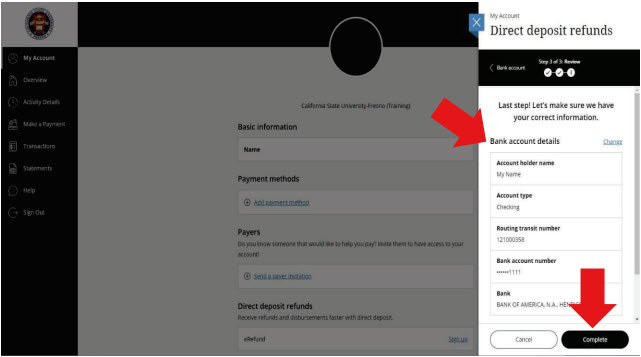
4. Last step! Review your bank account details. Make sure the information is correct and then click Complete.
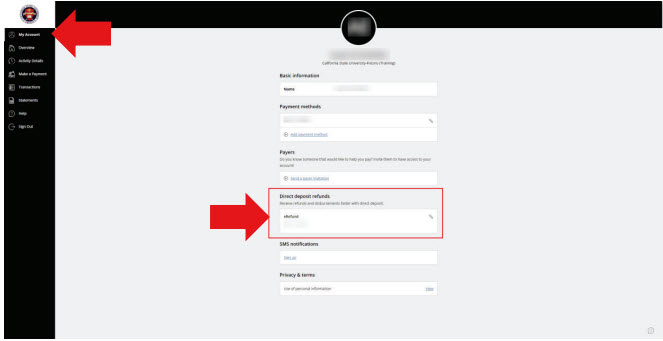
5. Once it is successfully completed, the Direct Deposit refund information will appear under “My Account” in your Transact ePayment site located on the left-hand side menu.