TIME ADMINISTRATION
Distribution Review & Update
- Check to make sure the hourly employee are paid from the correct chartfield
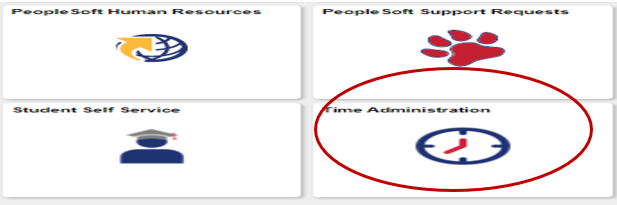
Go to Time Administration
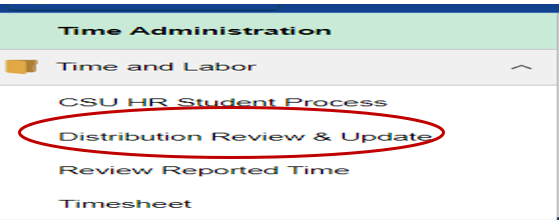
Under Time and Labor, select Distribution Review & Update
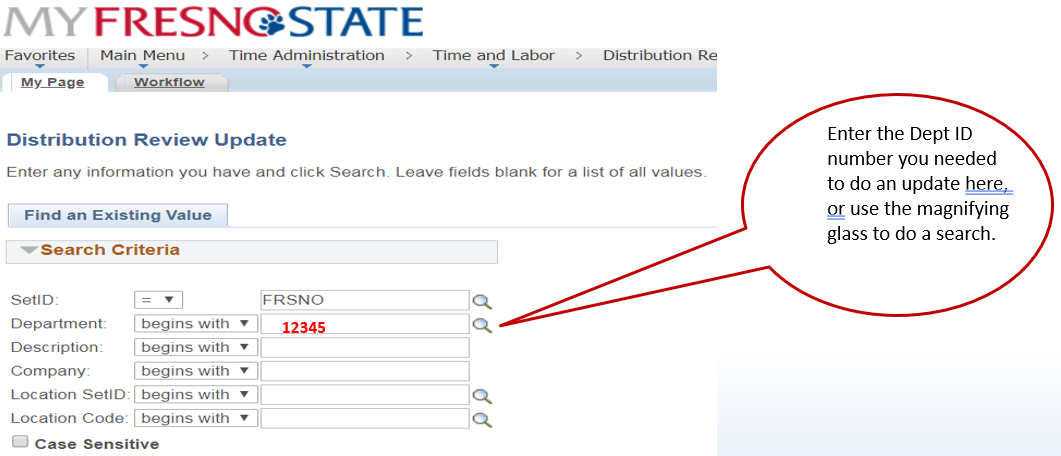
Enter the Dept ID number you needed to do an update here or use the magnifying glass to do a search.
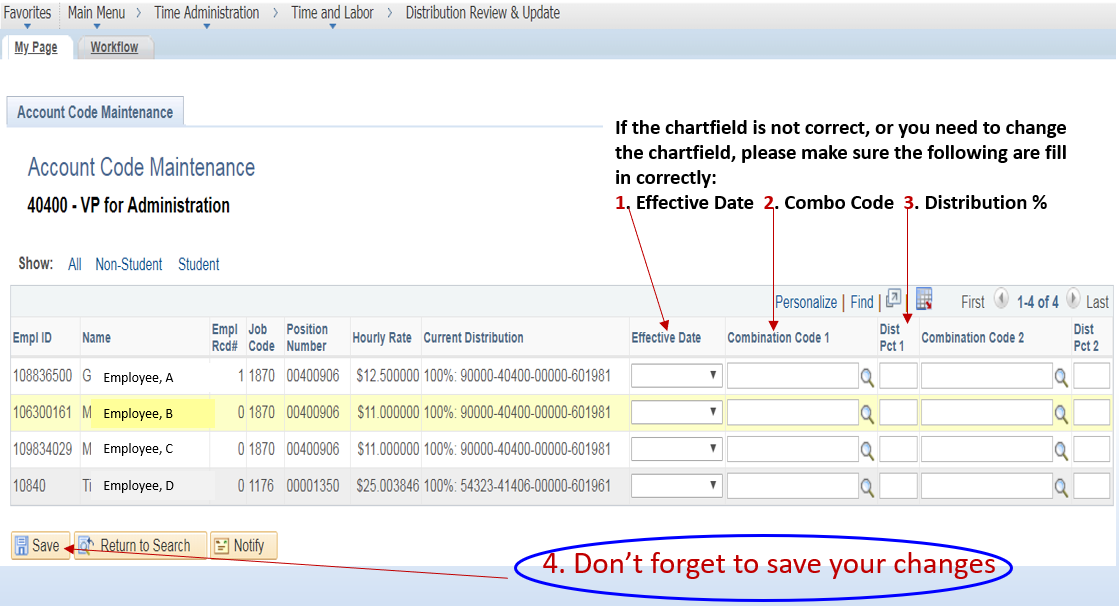
If the chartfield is not correct, or you need to change the chartfield, please make sure the following are fill in correctly:
- Effective Date
- Combo Code
- Distribution %
4. Don’t forget to save your changes
This HTML version was generated with AI assistance and may contain errors or omissions. The original approved PDF remains the official document of record. An alternative accessible format is available upon request from the document creator in accordance with Title II of the ADA.