REPORTS TO MAINTENANCE
- Go to https://my.fresnostate.edu
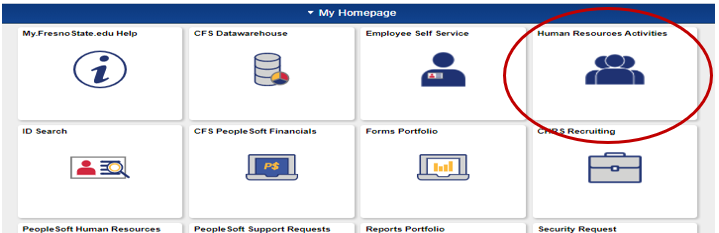
- Select Human Resources Activities
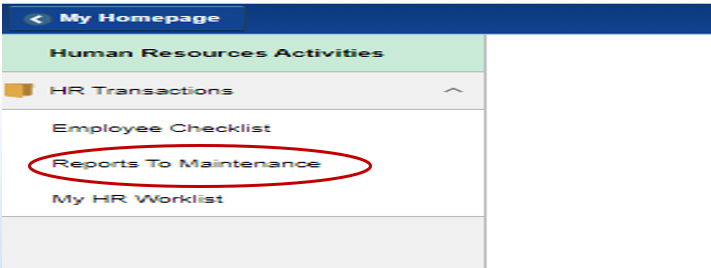
- Under HR Transactions, select Reports to Maintenance
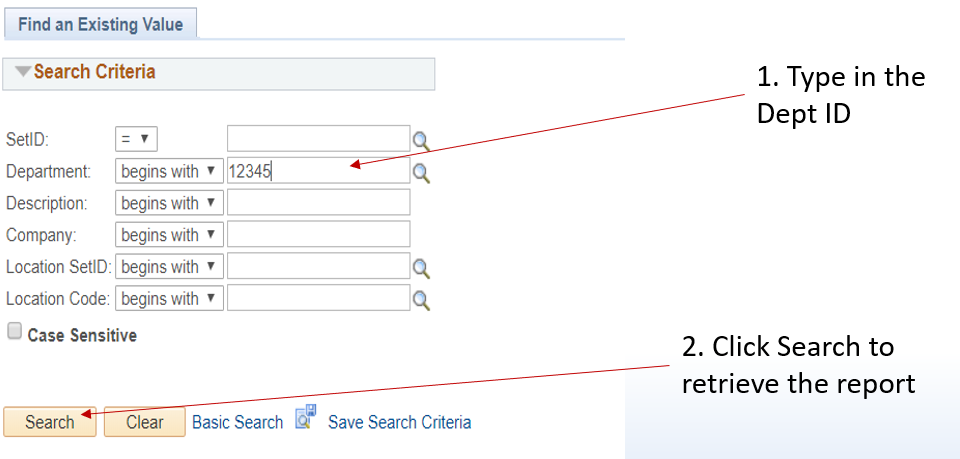
- Enter any information you have and click Search. Leave fields blank for list of all values
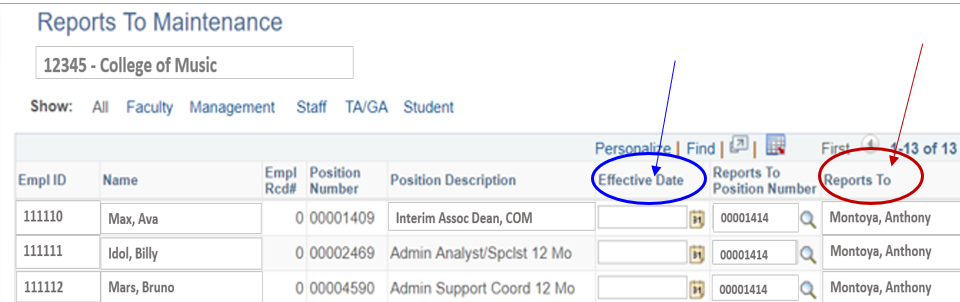
- The Effective Date has to be when the MPP or Dept Chair is hired or after being promoted to the new position.
- The Reports To section has to be a Manager or Dept Chair.
- Remember to save when you are done
This HTML version was generated with AI assistance and may contain errors or omissions. The original approved PDF remains the official document of record. An alternative accessible format is available upon request from the document creator in accordance with Title II of the ADA.