Phase II
Phase II Budget submission happens when the Governor has signed the final budget for the new fiscal year for the State of California and the date that the Chancellor’s Office allocated the CSU’s their Campus Budgets.
Level A Processes:
- Fresno receives their allocation via Memo B from the Chancellor Office
- The cabinet approves the final CSU Fresno Budget
- The cabinet members allocate budgets to their departments/divisions
- Instructions will be sent from the University Budget Office for final submissions of Phase II Budgets (Provost will send a separate instructions/submission date for the Division of Academic Affairs).
Phase II HR
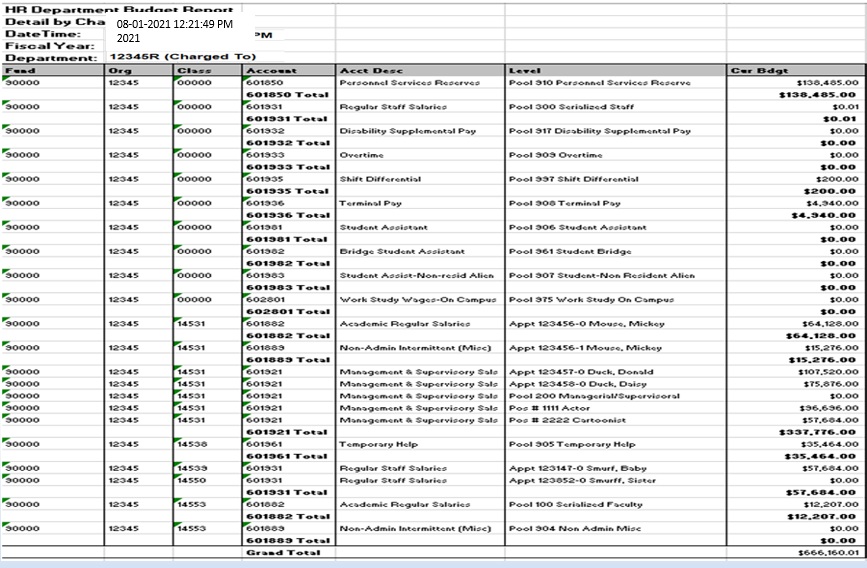
- Run the current fiscal year Budget Expenditure Report, in PeopleSoft HR for the division(s) you are submitting original budgets.
- Save the resulting report using the “Save as” option to your local drive, with the file name of “FY XX-YY Phase II”.
- Using the saved report from Step 2, allocate your budget to the desired level, Appointment, Position (vacancies only), or Pool using the Original Budget column, (all other columns should be deleted/hide).
- All chartfield strings must be sub-totaled. For example, 90000-XXXXX-00000-601931 would have a subtotal, as would 90000-XXXXX-12501-601931. Rows will need to be inserted as needed for these subtotals. Add formula in the Total line of the Original Budget column that adds together all the subtotals from the above entries.
- PLEASE NOTE: All Budget entries for salaries need to be formatted as follows: $XX,XXX.00. Only whole dollar entries will be allowed – all digits following the decimal must be zero “$XX,XXX.00” and they must be displayed on the final submission.
Example of Phase II HR
Phase II Operations
- The Budget Office has established a template to enter and submit your financial budgets, available at: http://www.fresnostate.edu/adminserv/budget/phases/index.html
- Select the Initial Budget Form 21-22.xlsx and click it. This will bring up the budget entry form for the initial budgets for 2020 on an excel worksheets.
Please Note: Do not enter data onto the summary tab.
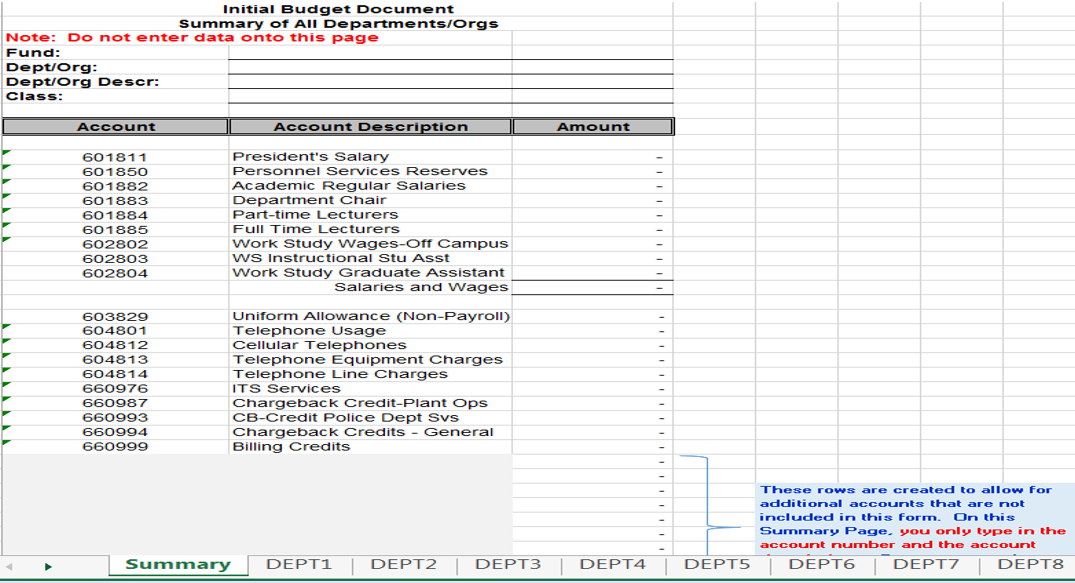
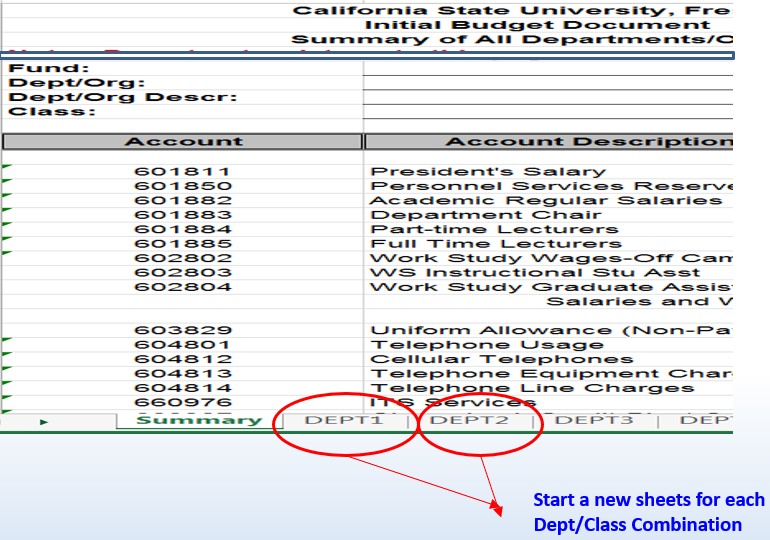
- Create separate worksheets for each Department/Class combination
- Below the heading information, various accounts are separated into two sections - Salaries and Operations.
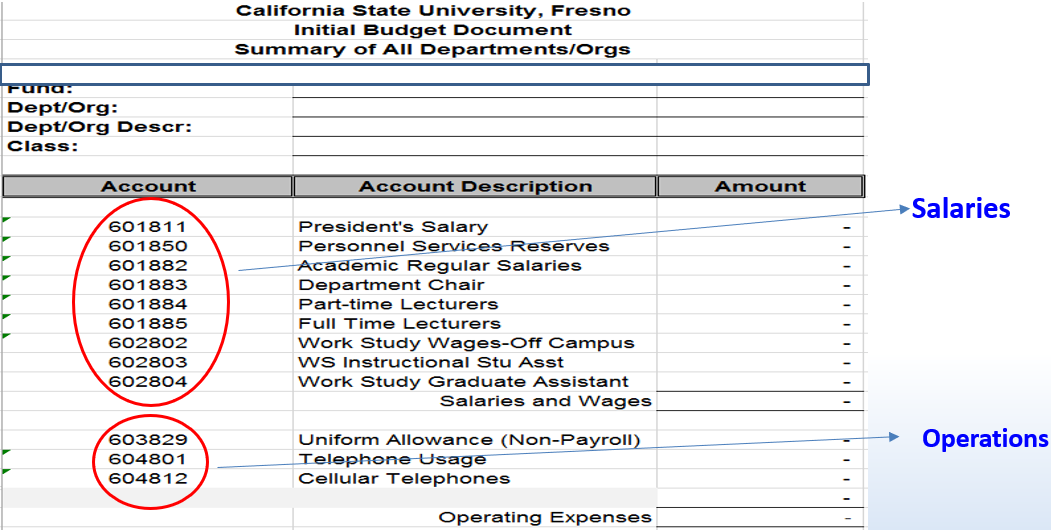
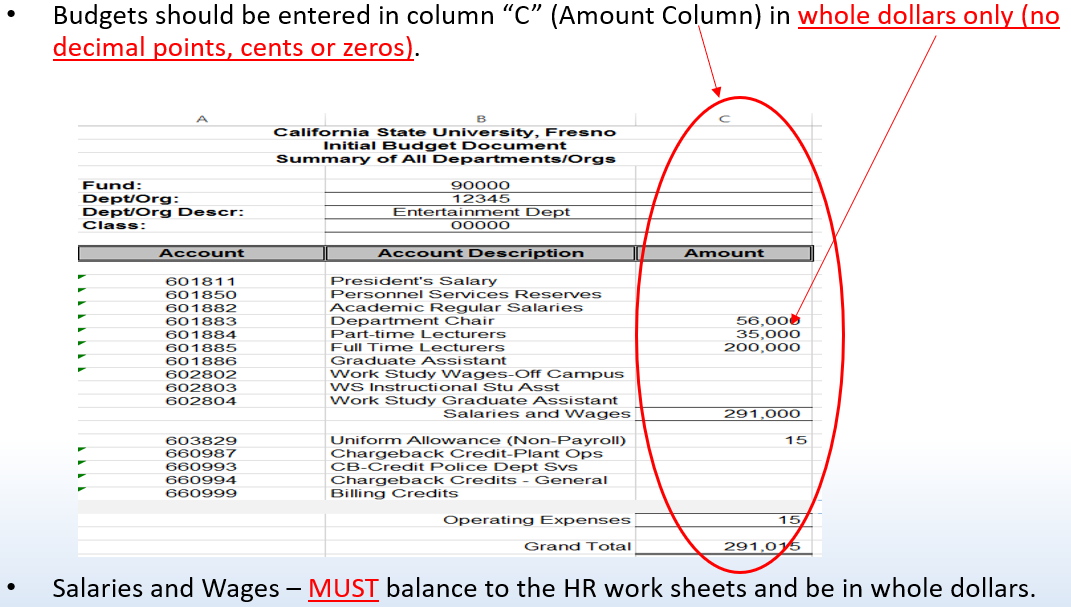
- Budgets should be entered in column “C” (Amount Column) in whole dollars only (no decimal points, cents or zeros).
- Salaries and Wages – MUST balance to the HR work sheets and be in whole dollars.
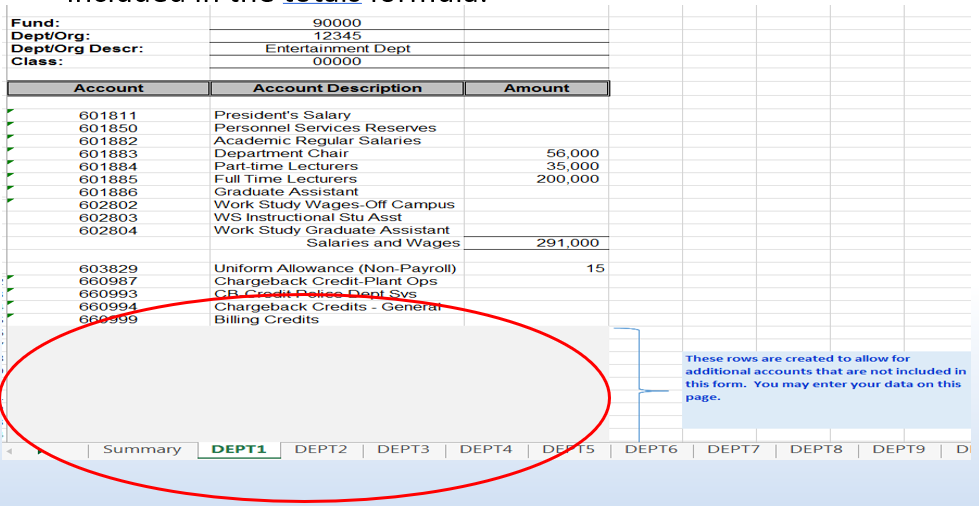
- Adding accounts - at the bottom of each tab, rows are already added to accommodate additional accounts. If you need more rows, insert a line, but do not insert at the top or bottom of a section, as it may not be included in the totals formula.
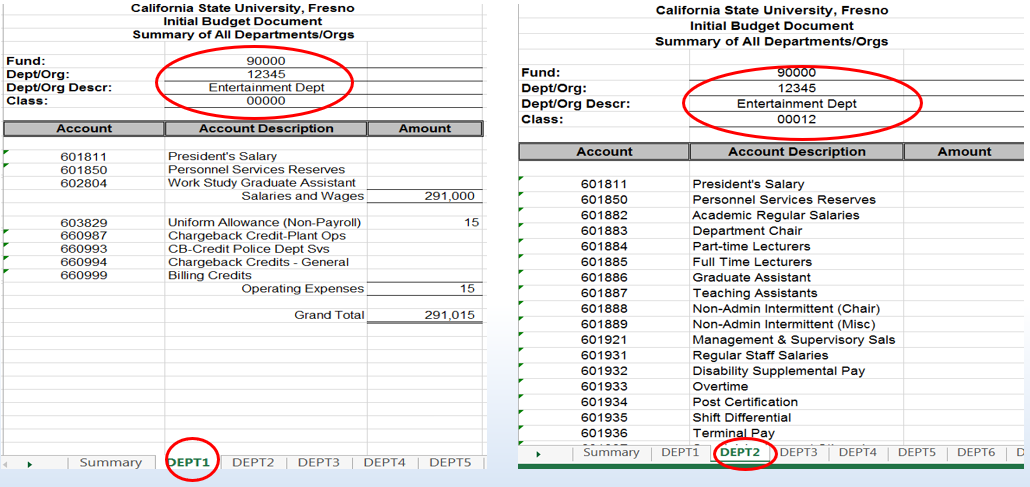
- Again, for multiple Class Code Combinations, a new sheet should be used for each Department/Class code combination.
- Check Balances - Once all the budget data is entered on the sheets, please perform a final review making sure budgets balance. Add up all Department/Class code worksheets to confirm they match your total departmental budget.
- Again, instructions will be sent from the University Budget Office for final submissions of Phase II Budgets (Provost will send a separate instructions/submission date for the Division of Academic Affairs).
This HTML version was generated with AI assistance and may contain errors or omissions. The original approved PDF remains the official document of record. An alternative accessible format is available upon request from the document creator in accordance with Title II of the ADA.