Phase I
Phase I is the process of updating, changing, and cleaning up the HR budget report in preparation for the new fiscal year. Budget submissions are not part of the Phase I process.
- You will need to generate the HR Budget/Expenditure Report. Please see the HR Budget Report training manual for instructions on how to generate the report.
- Save your report, this will be your working copy to be used for final submission.
- Insert a new column with the heading, “Requested Change” to the right of the “Current Budget” column.
- Drop or hide all other columns and complete the “Requested Change” column.
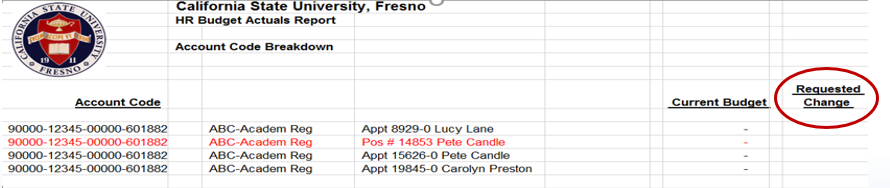
Once you have the working template, you are now ready to clean-up employee records for the Budget/Expenditure Reports:
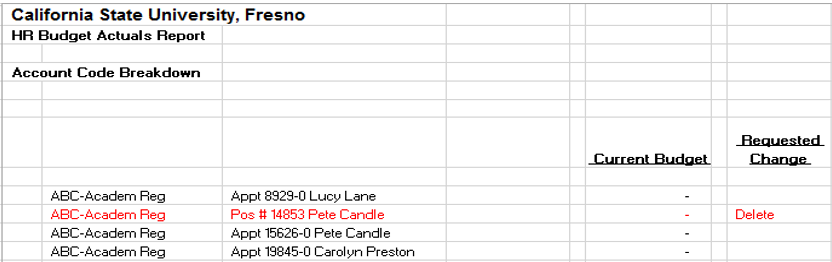
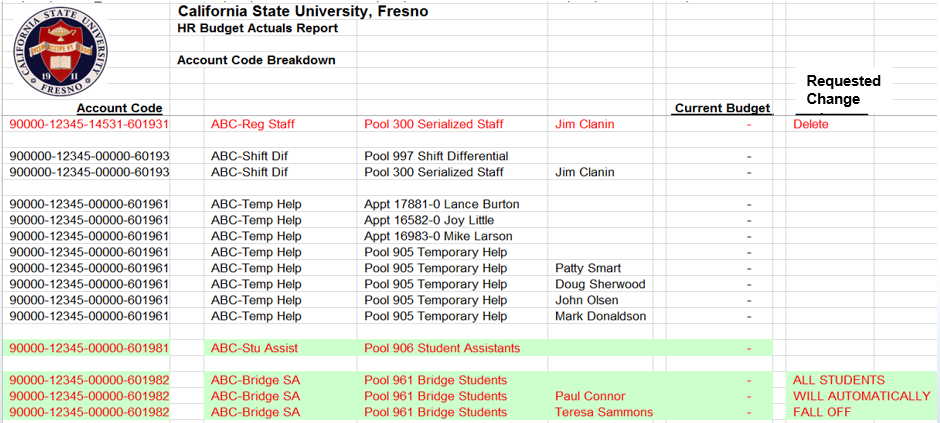
- Delete – Terminations, Resignations, transfers out of Department
- Also delete positions if not in use
- Modify Chartstrings - for Fund, Department, Class, and Account

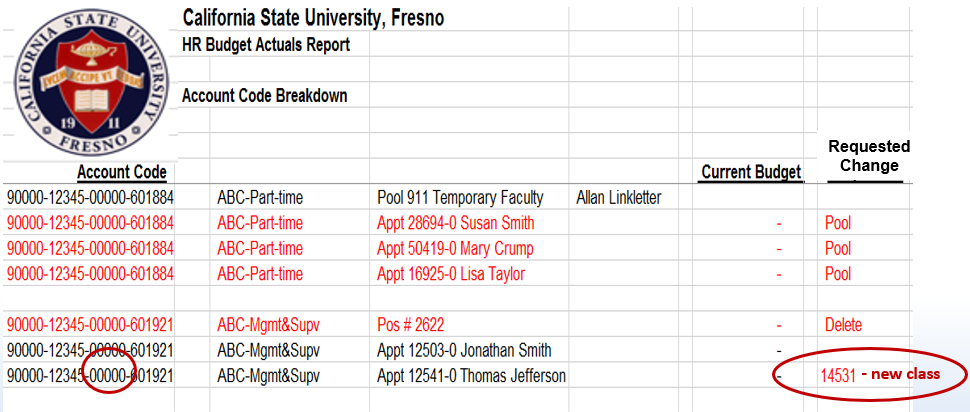
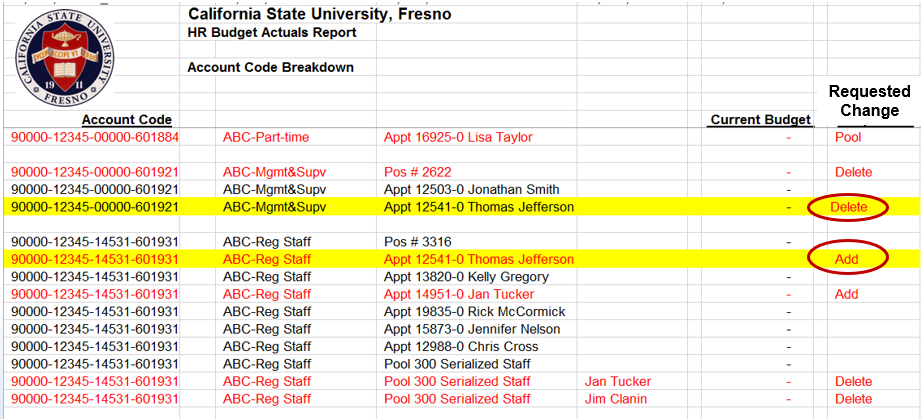
- All pool employees will be dropped or added automatically - according to the employment end date
- Student Assistants will drop off the report automatically
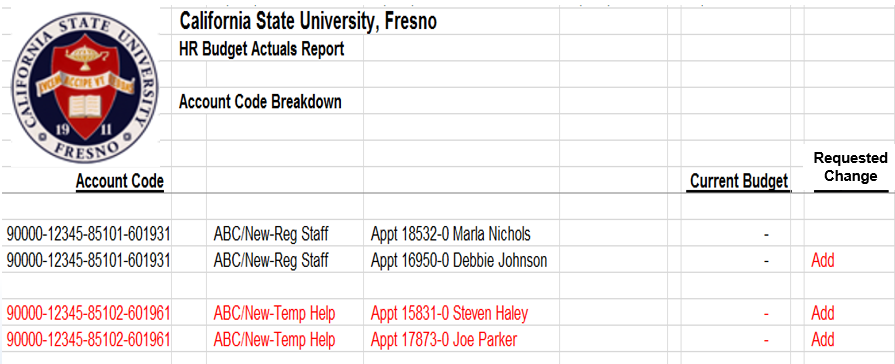
- Add all new staff:
- Transfers to your department
- New Employees to campus
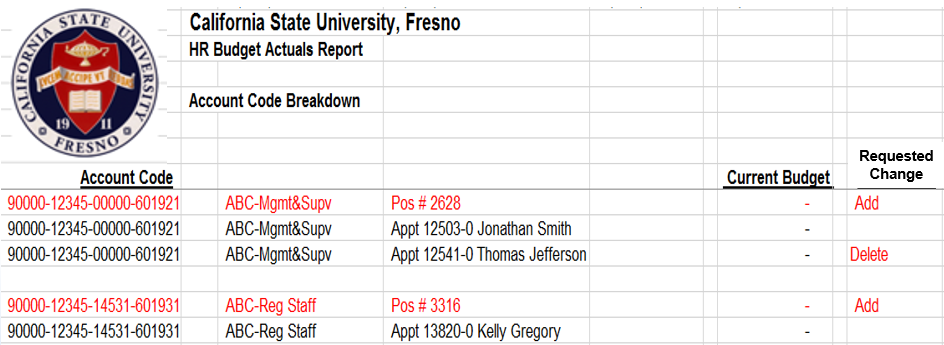
- Positions:
- New Positions can be added - but only if the vacant position is budgeted
- If you do not know the position number, a vacant position can be requested by using a job code or job classification
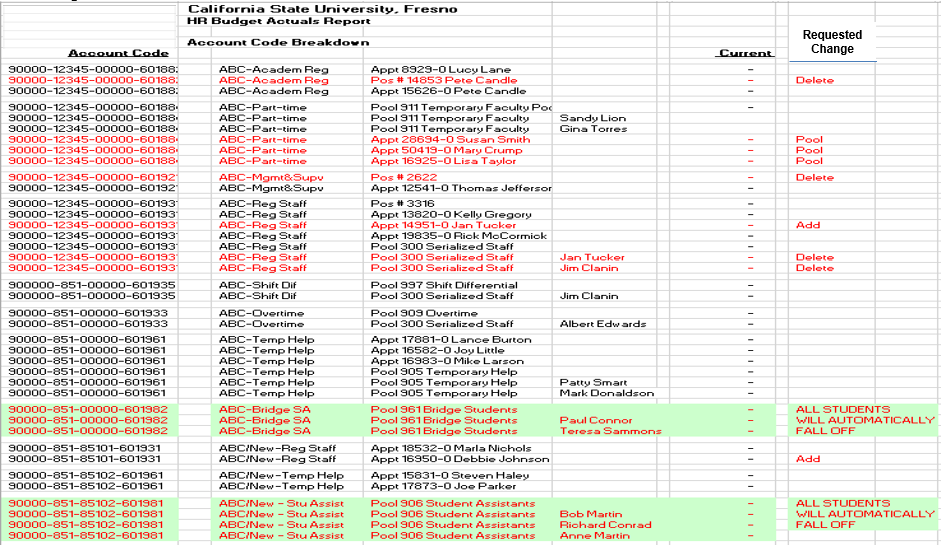
- Completed Phase I
This PDF is provided as a print-only reference document and may not be fully accessible to users of assistive technology. For more information, please visit Title II Rule on Digital Accessibility page.