What is an ABJ Form?
- The ABJ form is used to adjust the budget
- The ABJ form is only used to adjust the budget within the General Fund, 90000.
- Please round to the nearest whole dollar.
How to Access the ABJ form?
The ABJ form is accessible through My Fresno State Home Page, FORMS Portfolio:
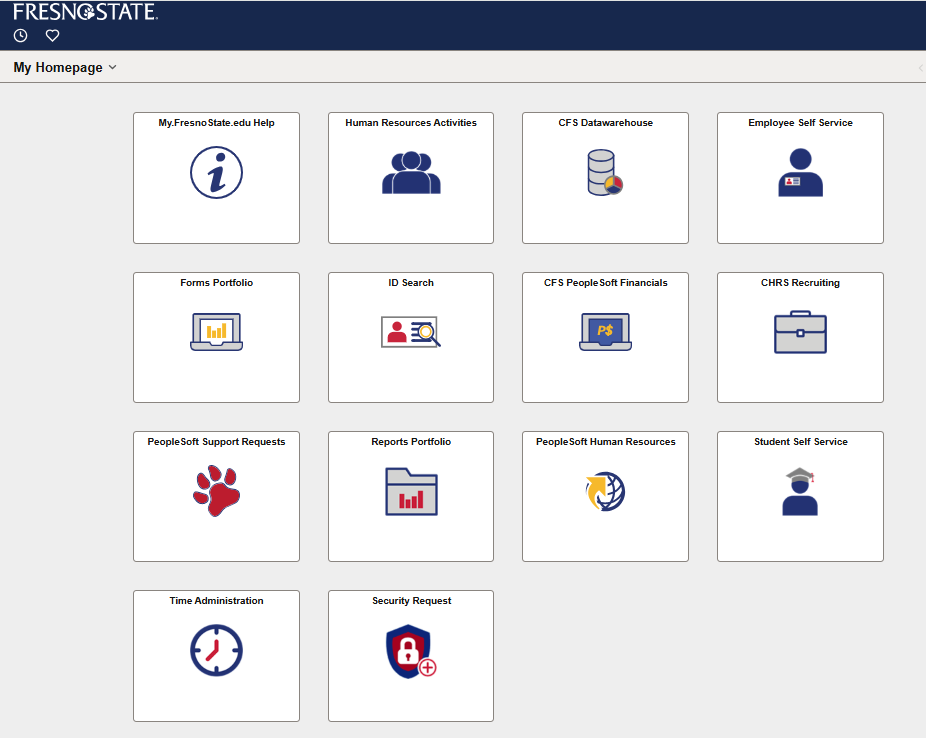
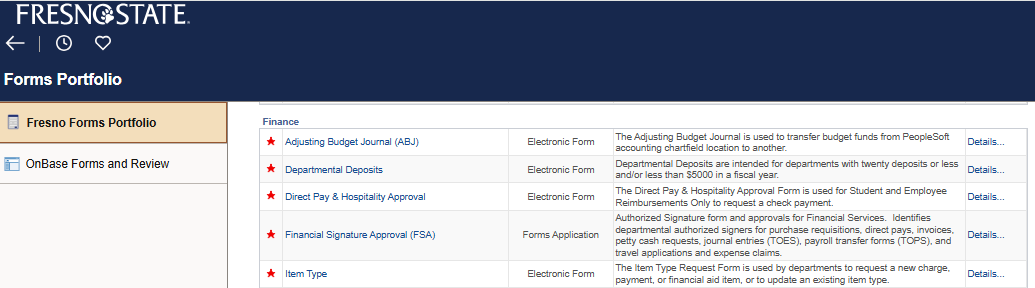
- Click Fresno Forms Portfolio
- Then select “Adjusting Budget Journal.”
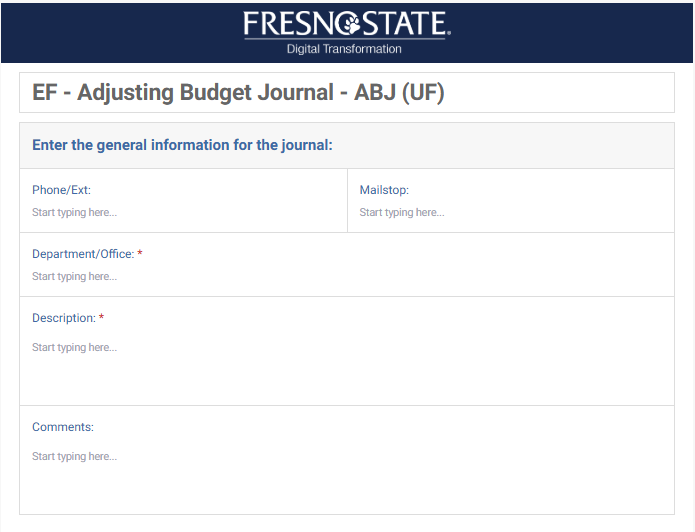
The first section of the form contains general information about the department processing the ABJ and a brief description of the adjustment.
The second part of the form is the chartfield, also called the chartstring. It comprises two sections:
- The top portion is the chartfield where the funding is coming from.
- The bottom portion is the chartfield where the funding is going to.
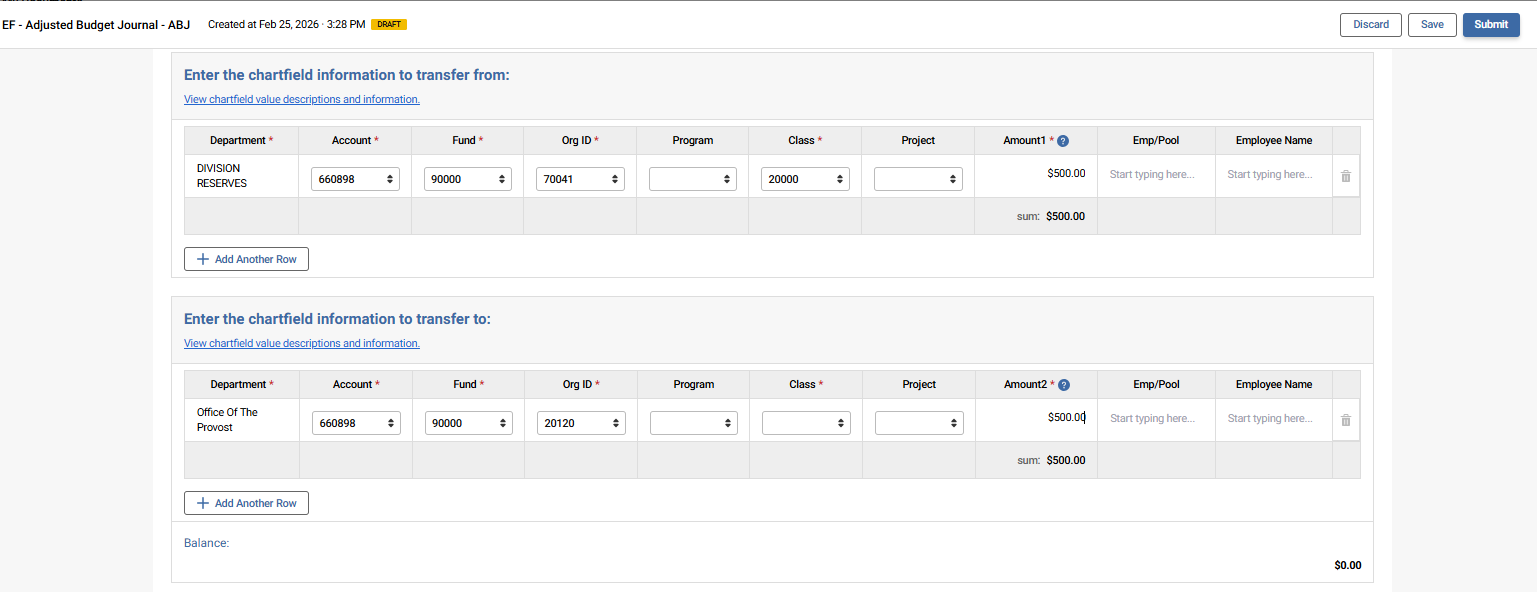
If you need to add another row for either of the sections, click

The “From” and “To” sections should balance to zero.
- Once you have the form filled out and balanced out to zero, you are now ready to submit.
- After clicking the submit button, you will receive an email from kualibuild-api@mail.fresnostate.edu with your ABJ form attached.
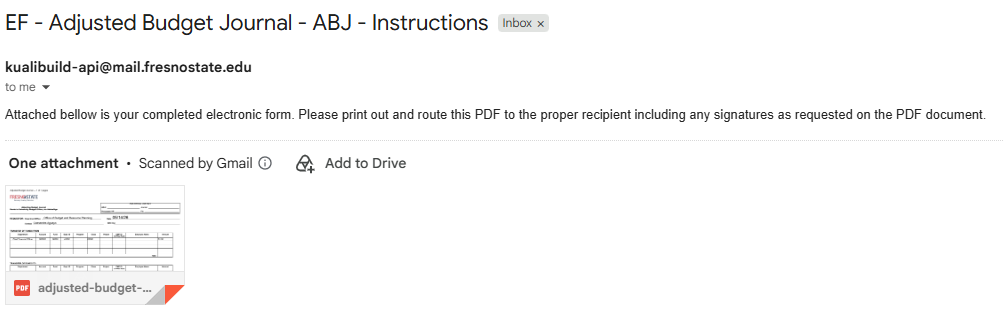
- Open the ABJ form and save the it as one of your file.
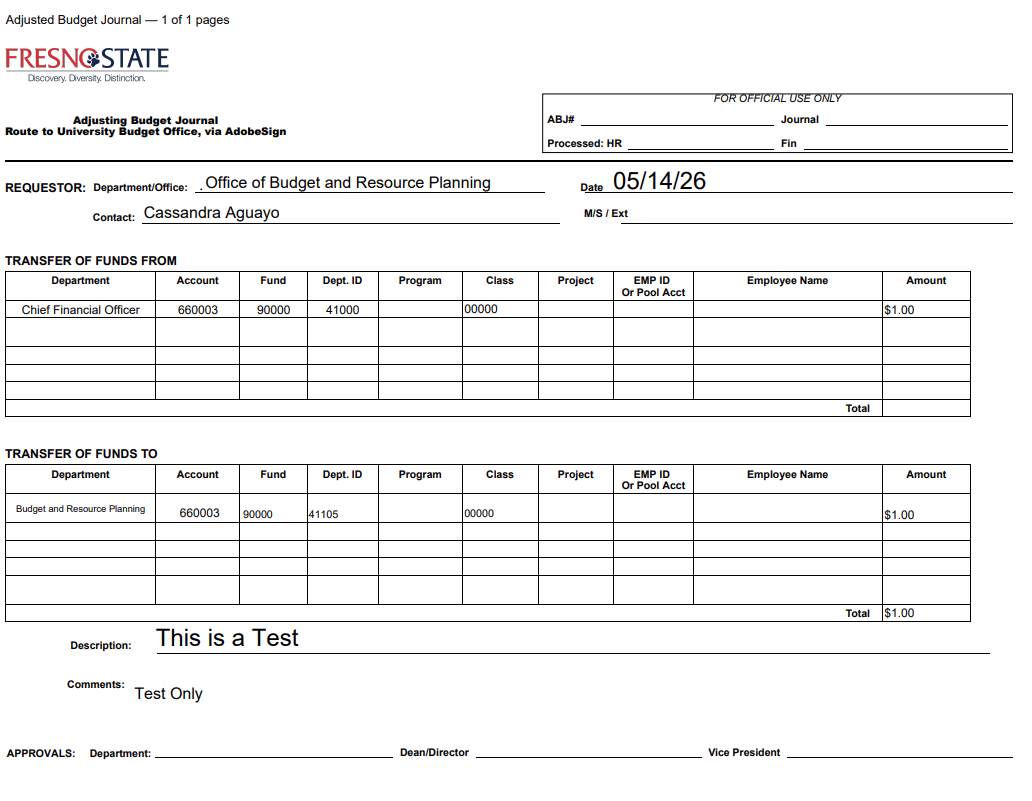
- Now you can upload the ABJ form to Adobe Sign.
Adobe Sign
- Please go to the Budget website for the Adobe Sign upload instructions @
https://adminfinance.fresnostate.edu/budget/training/adobesign-process.html
- If you have any questions, call our office at (559) 278-3902 or send us an email at:
JEFFREY BLANKS
Director of Budget & Resource Management
(559) 278-5295
jeffblanks@mail.fresnostate.edu
LISA CHAVEZ
Associate Manager of Budget & Resource Management
(559) 278-5293
lisachavez@mail.fresnostate.edu
JEAN AGUAYO
Senior Budget Analyst of Budget & Resource Management
(559) 278-7224
jaguayo@mail.fresnostate.edu
California State University, Fresno – Office of Budget & Resource Planning
This HTML version was generated with AI assistance and may contain errors or omissions. The original approved PDF remains the official document of record. An alternative accessible format is available upon request from the document creator in accordance with Title II of the ADA.