Concur New User Interface: Changes, Known Issues, and Temporary Workarounds
Airline
Southwest Seat Assignments
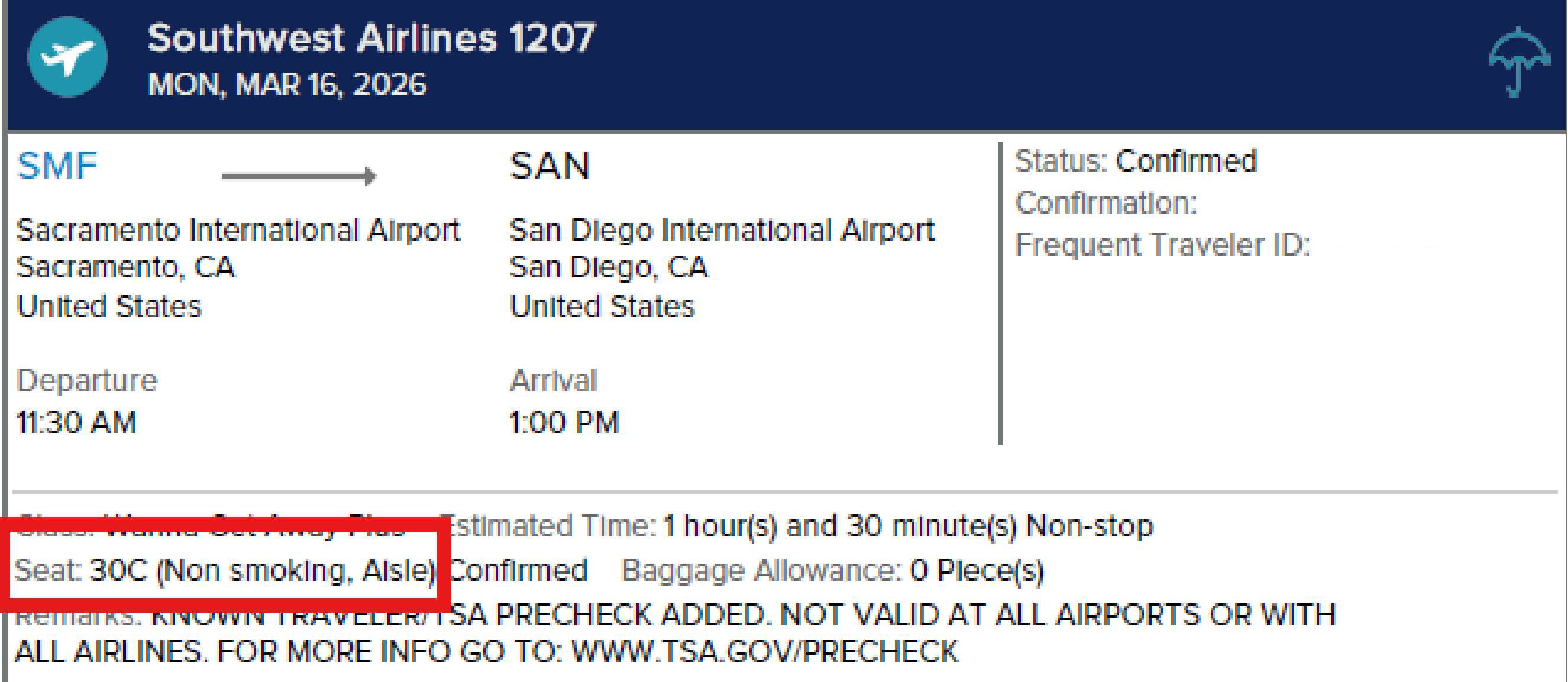
- Southwest seat assignments are currently not available in New Concur.
- Concur will still automatically assign the traveler a seat once the flight is purchased, based on the preferences in the traveler’s profile. If no preferences are listed, Concur will still assign a seat.
- Travelers may visit Southwest.com or use the Southwest mobile app to change their seats.
- The CI Azumano itinerary will show the seat that was assigned.
Some Airports Not Appearing When Entered in Search Field
- Some airports do not appear when the traveler or arranger enters the airport code, name or city in the search field.
- Use the airport code over the airport name or city in the search field.
- Allow New Concur to load the airport into the field (this could take several minutes).
Round-Trip Flights Are Not Appearing in the Search Results
- Some round-trip flights do not appear in the search results but will appear when searched as one-way flights.
- Book two (2) one-way flights or contact a travel agent to make the reservation.
- Use the “All Filters” to select the origin airport and destination airport, along with the matrix to select the preferred carrier.
One-Way Flights Are Not Appearing in the Search Results
- Some one-way flights do not appear in the search results.
- The New Concur experience recommends options based on past booking habits which may not align with a user’s current, specific search needs.
- Use the “All Filters” to select the origin airport and destination airport, along with the matrix to select the preferred carrier.
Car Rental
Missing Enterprise Off-Airport Locations
- Some Enterprise off-airport locations are not appearing in the New Concur environment.
- Travelers should call an agent or email calltravel@ciazumano.com with their travel details (specific location, pick-up/drop-off times, car class, and any other relevant information).
Daily Base Car Rental Rates
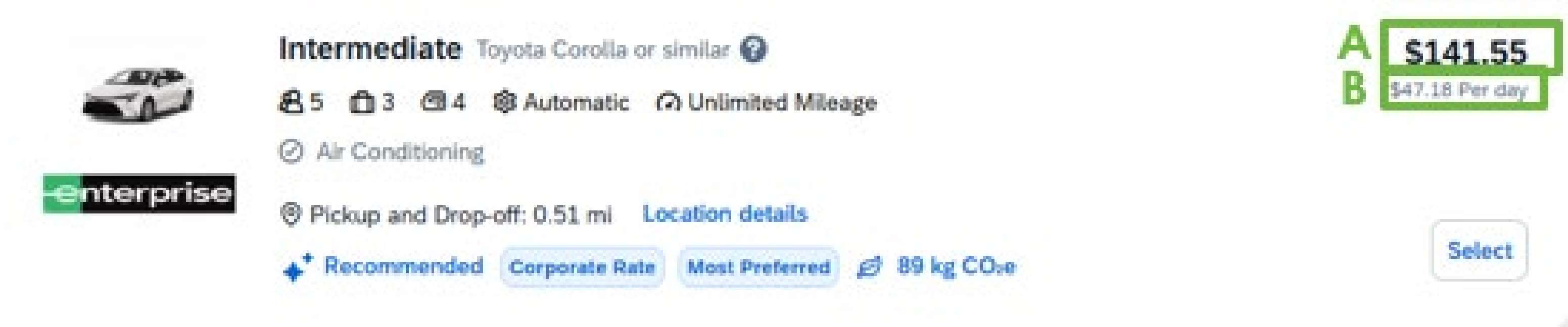
- Rental car daily base rates are now displayed differently in New Concur.
- The larger cost shown is the total estimated cost for the entire rental (see A in the image below).
- The smaller cost shown is the estimated daily rate which is the base rate plus estimated taxes and fees (see B in the image below).
Electric Vehicles Now Available
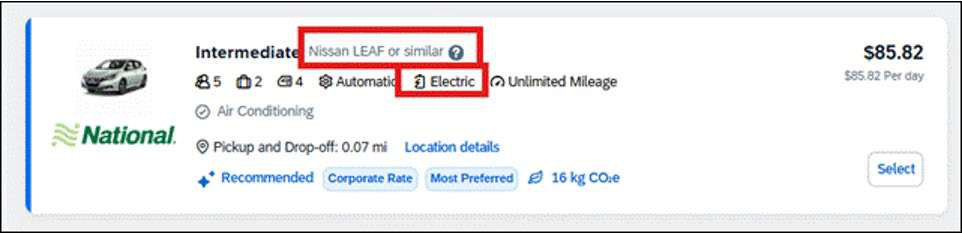
- New Concur allows for the ability to reserve electric vehicles, if available.
- Use the “All Filters” option to see if an electric vehicle is available.
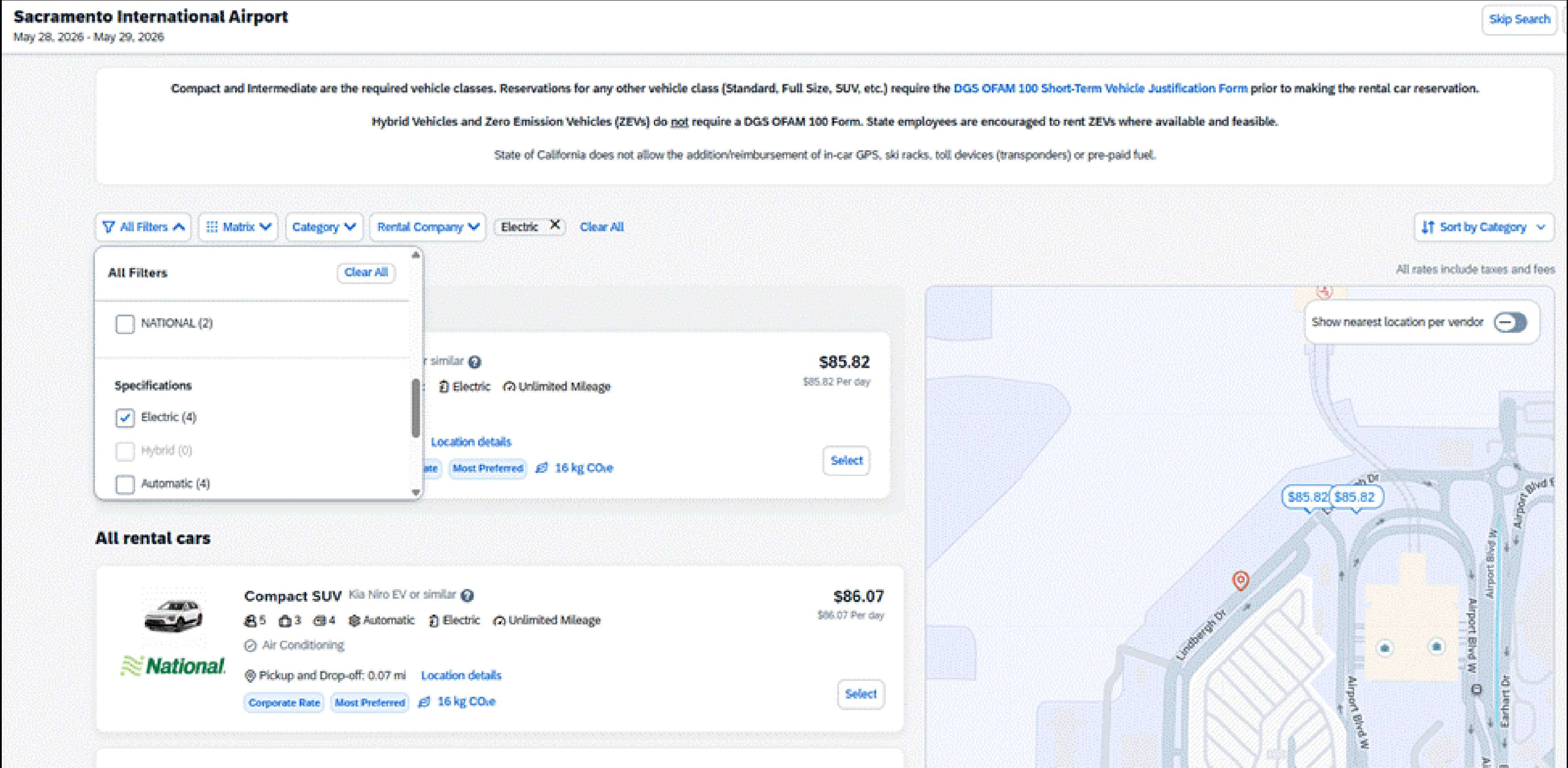
- The electric vehicle will appear in the search results.
HOTEL
Destination Field
- This field can be utilized to search by airport, landmark, address, company location, and postal code.
MISCELLANEOUS
Pre-Trip Approval Process
- For “All Trips Require Approval,” all segments (air, car, and hotel) are now considered when calculating approval deadlines,
causing some same-day and future bookings to auto-cancel before they can be approved.
Reservations may automatically be cancelled if the ticketing deadline passes before
approval, even if the trip is booked minutes before the deadline.
- Managers should approve all trips as quickly as possible to prevent cancellations.
- Travelers are encouraged to book all trips as early in the day as possible to avoid the auto-cancellation.
- For reservations within 24 hours, travelers should contact a travel agent directly at 877-454-8785, option 0 (used for travel within 48 hours).
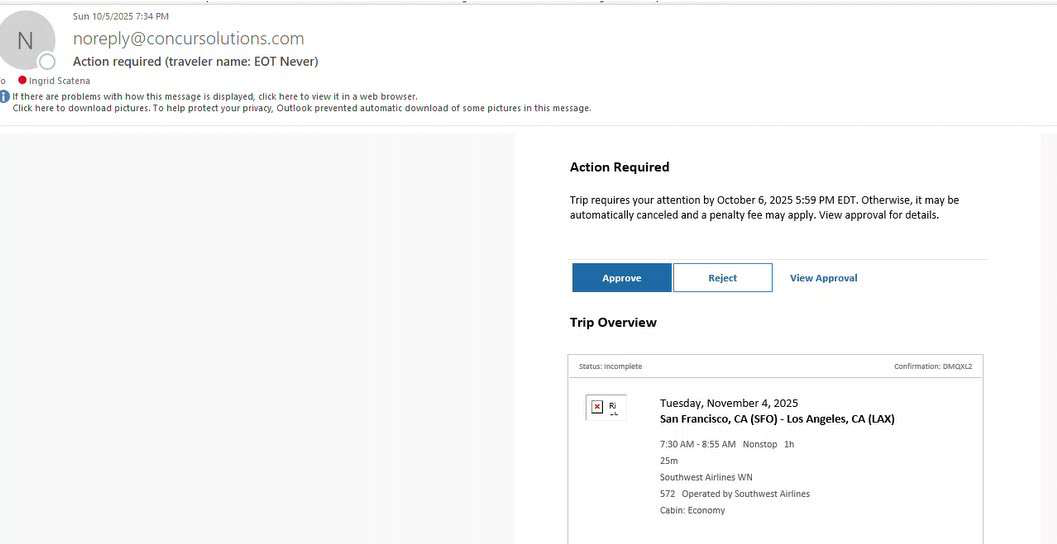
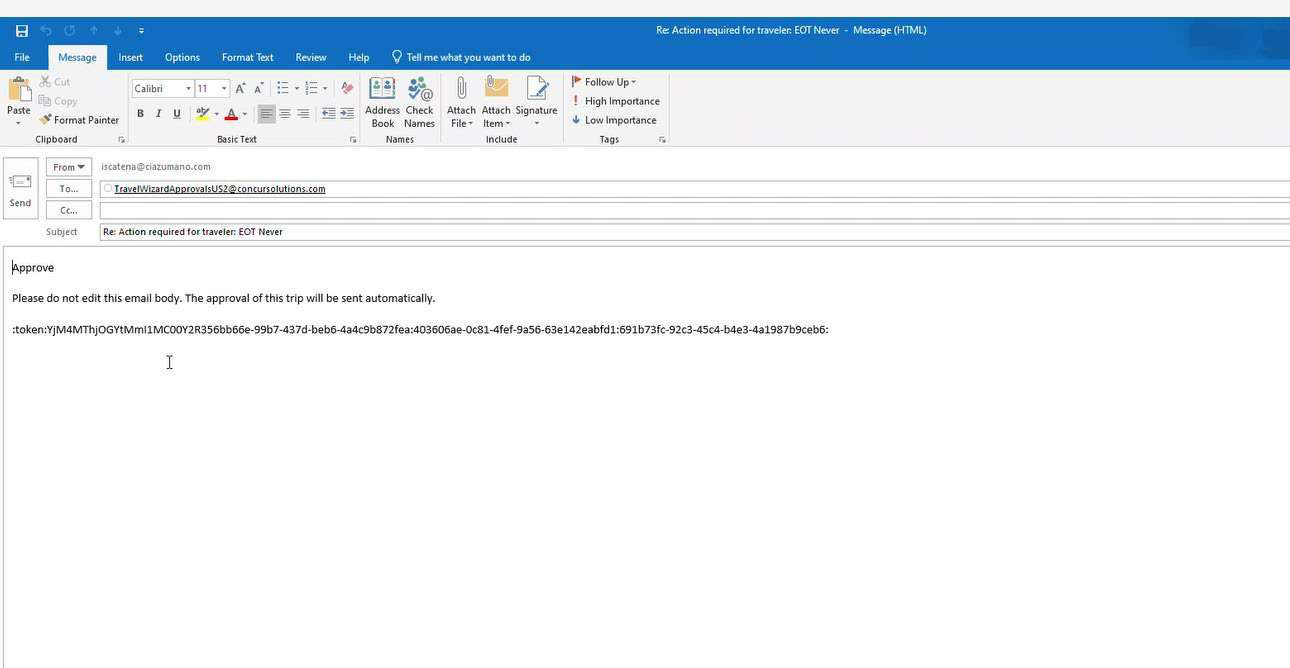
- There are now two (2) steps for managers to approve/reject a trip.
- Step #1 – Manager receives an email and must click ‘Approve’ or ‘Reject’ within the email.
- Step #2 - A secondary email will pop up, and the manager will need to send the email to finalize the approval process. If the email does not populate automatically, check your pop-up blockers.
Multiple Search Options
- Plan a Trip – Allows for air, car, hotel, multiple car and hotel, and train.
- Traditional Search Engine – Initial search is for air and/or hotel only. Car can be added on the ‘Finalize’ page.
Hold Trip Feature
- The ‘Hold Trip’ option is no longer available in New Concur.
Clone Trip Feature
- The ‘Clone Trip’ option is no longer available in New Concur.
Print Itinerary Feature
- The ‘Print Itinerary’ option is no longer available in New Concur.
- Travelers and travel coordinators can use the Print My Invoice feature to view and download copies of invoices.

This PDF is provided as a print-only reference document and may not be fully accessible to users of assistive technology. For more information, please visit Title II Rule on Digital Accessibility page.