What’s the difference between a Travel Arranger and an Expense Delegate?
Travel Arranger — This individual can make travel reservations for another employee or a guest traveler.
Request/Expense Delegate — This individual can create preapproval Requests and Expense Reports on behalf of another employee.
How to Assign a Request or Expense Delegate:

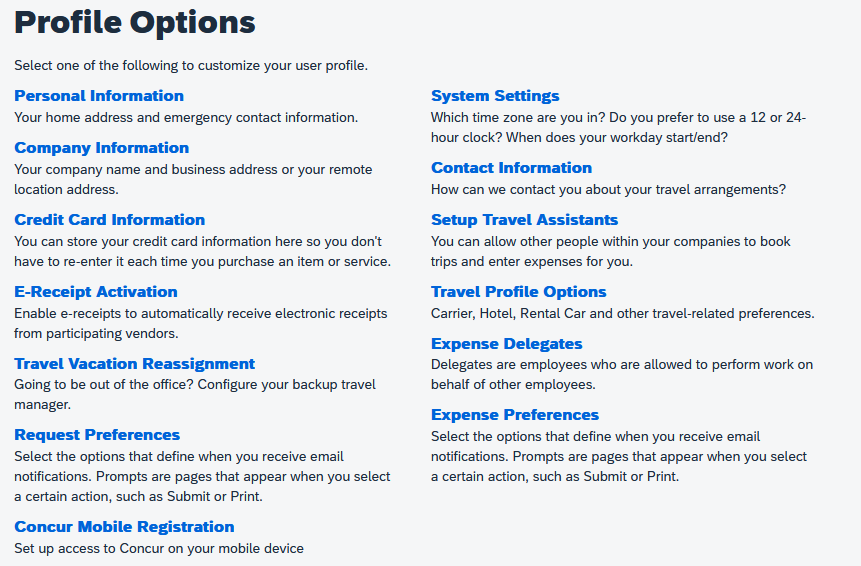
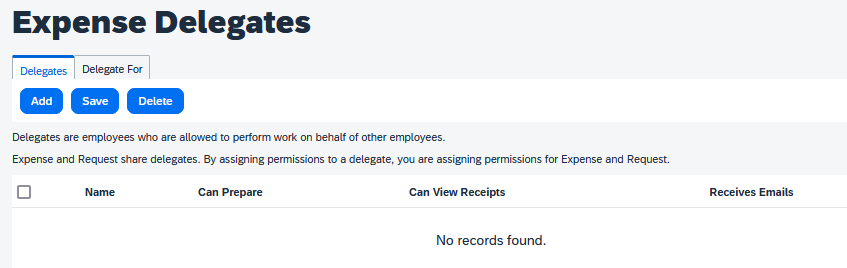
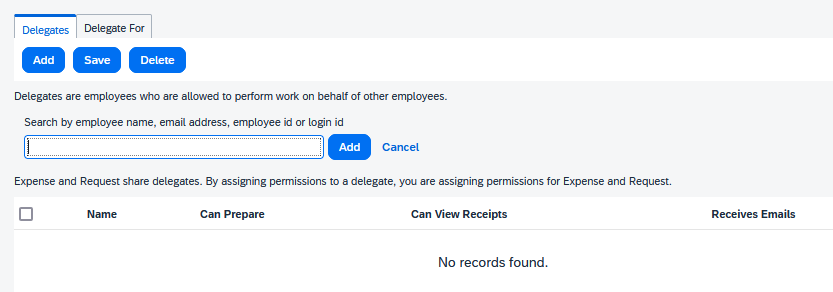
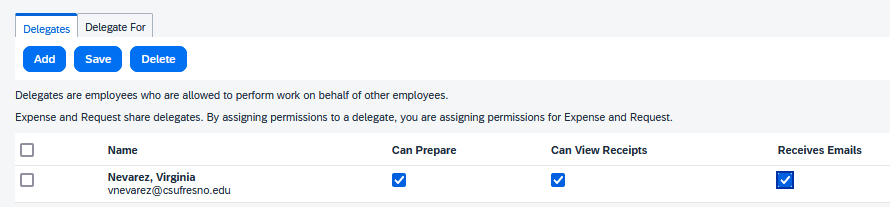
Once the employee is selected and the permissions granted, the delegate will be able to complete preapproval Requests and Expense reports.
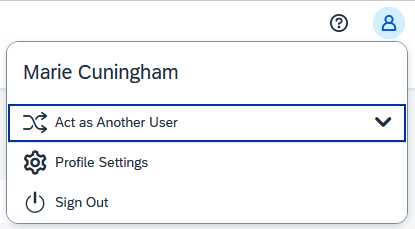
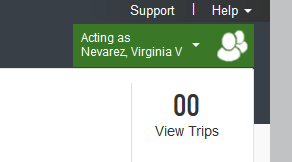
IMPORTANT:
Delegates can create preapproval Requests and Expense reports for travelers, but they cannot “Submit” the report for the traveler. When the delegate has completed a report, they must click “Ready for Review.”
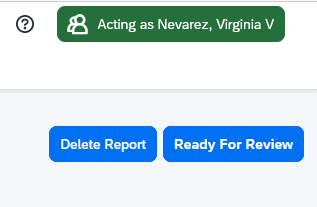
The traveler will receive a notice that their preapproval Request or Expense report is ready for review. Once the traveler has reviewed the report, they must “Submit” the report themselves due to the certification that they must accept.
Final Review
Certification Agreement
I certify that the claim submitted is a true statement of the travel expenses incurred by me while traveling on official University business. All required documents are attached herein. I have received the appropriate authorization to travel and am aware of the CSU travel guidelines related to this expense. I will not seek reimbursement for a duplicate claim or from any other source. I agree to return any reimbursement or payment issued by the University which subsequently results in a refund, within 30 days of its receipt. If a motor vehicle was operated in the course of this claim, it was done so in full compliance of California state laws and CSU policy.
Accept & Submit Cancel
This PDF is provided as a print-only reference document and may not be fully accessible to users of assistive technology. For more information, please visit Title II Rule on Digital Accessibility page.