How to add your Agenda

Contact Marie Cuningham (559) 278-2911 mariec@mail.fresnostate.edu for assistance.
Add a manual expense to an existing report
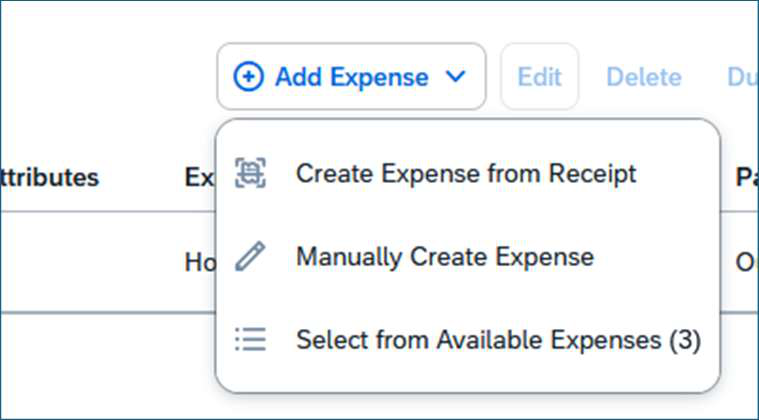
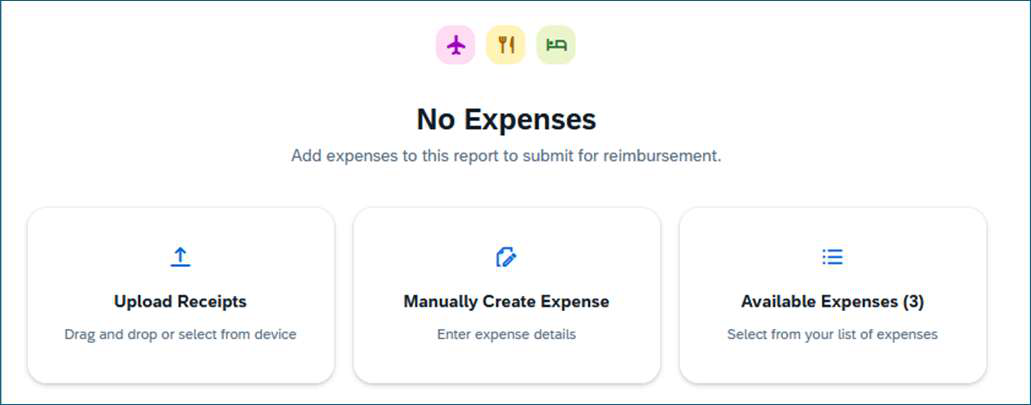
You can add a manual expense either way. Both ways work.
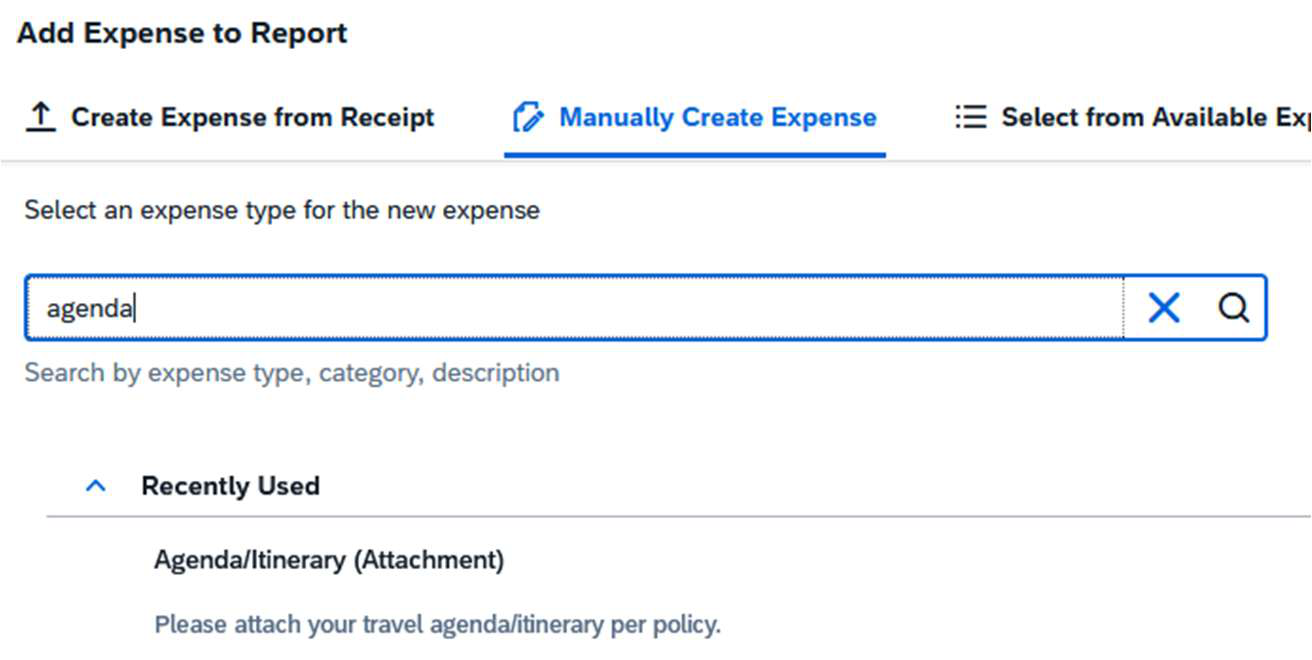
Search the word “agenda” in the search bar and select the expense type “Agenda/Itinerary (Attachment)”
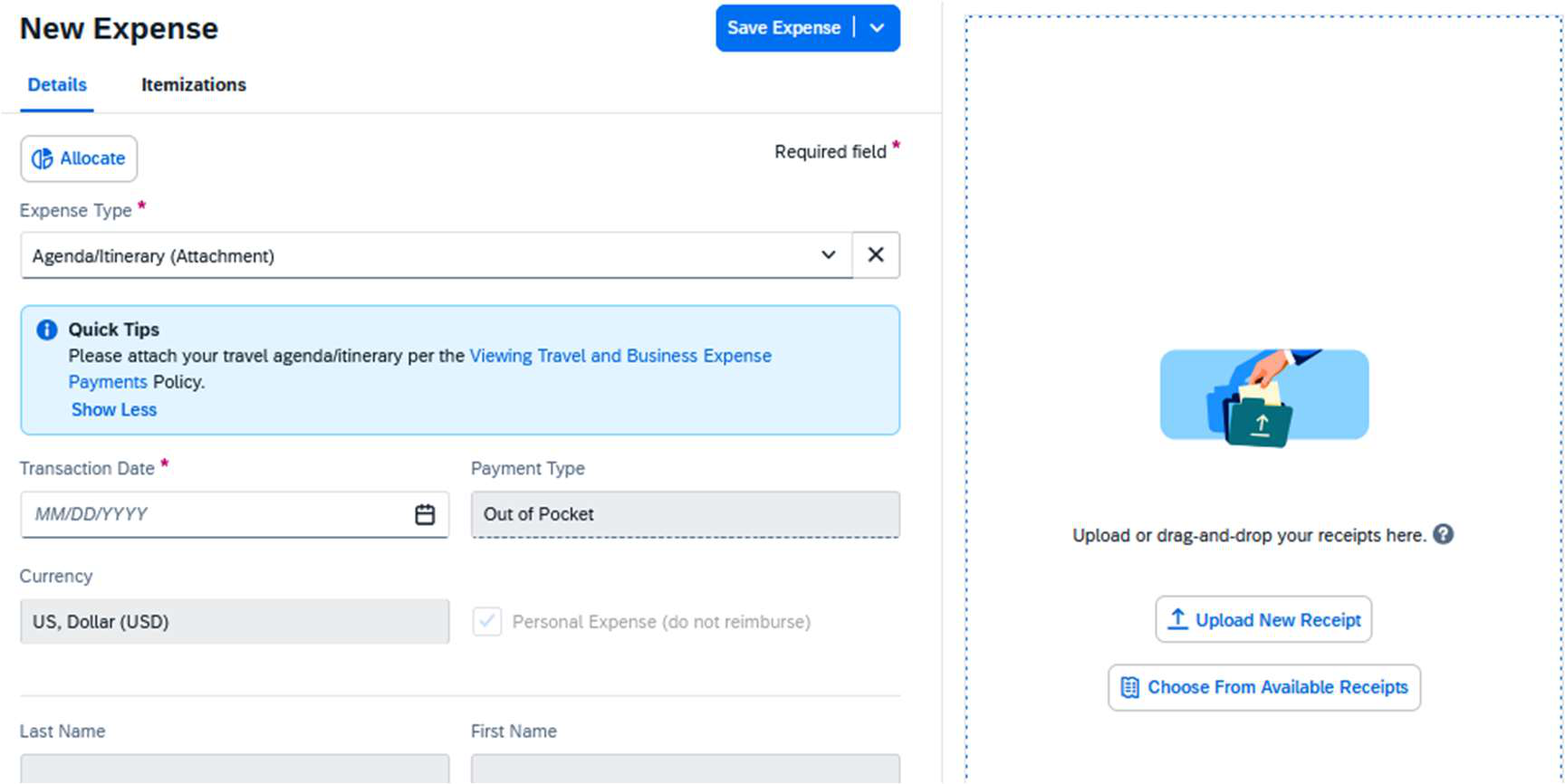
Enter the transaction date, upload the agenda or itinerary, and click the “Save Expense” button.
This PDF is provided as a print-only reference document and may not be fully accessible to users of assistive technology. For more information, please visit Title II Rule on Digital Accessibility page.